My Money
Reducing financial anxiety through an intuitive, goal-oriented interface.
- My role: UX/UI Designer (End-to-end)
- Duration: 6 weeks
- Tools: Figma and Miro




The challenge
Many people lose control of their finances not due to a lack of data, but because of the complexity and impersonality of traditional apps. The challenge was to create a tool that would transform financial record-keeping—often a tedious and stressful task—into a light, visual, and motivating habit. How could we reduce user anxiety when dealing with expenses and help them focus on their long-term goals?
.jpg)

The Solution
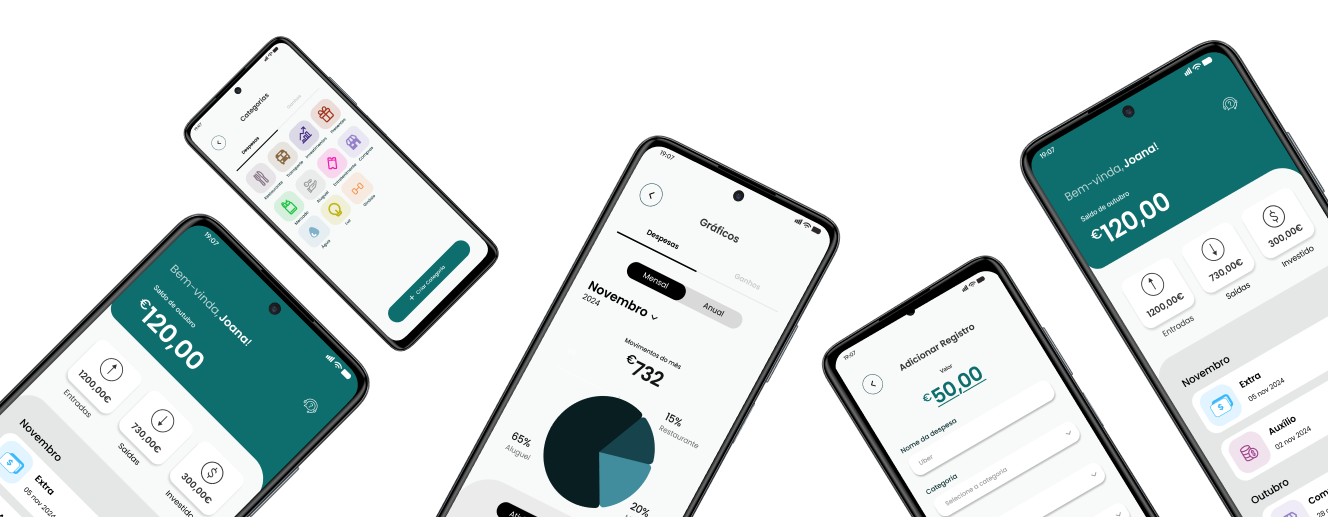
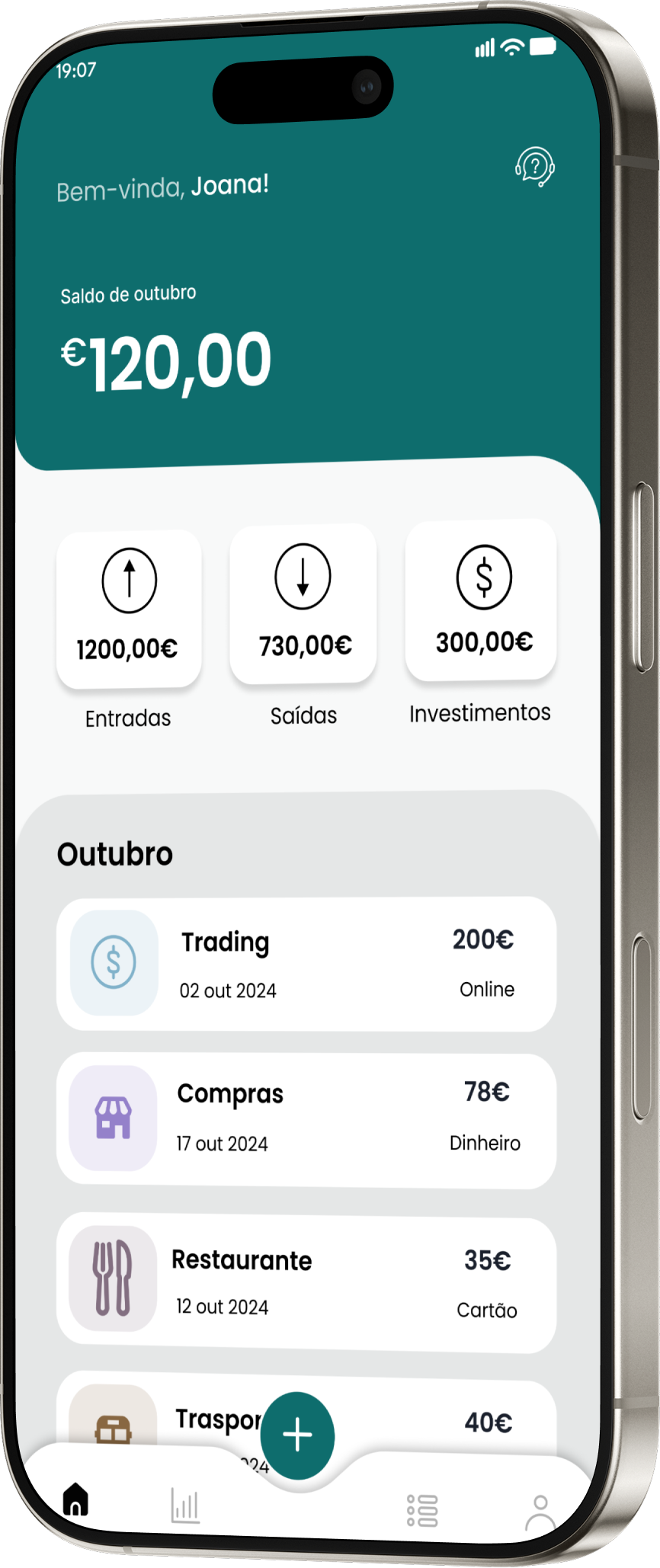
My Money was developed with a focus on immediate clarity. Through a clean visual hierarchy and intuitive categorization, the solution allows the user to understand their financial health in seconds. We implemented a 'Visual Goals' system that uses the psychology of instant gratification to keep the user engaged in saving, transforming abstract numbers into real progress.
User Persona
An interface focused on gamification and visual progress, where users define financial objectives and track their contribution evolution in real-time.
.png)
Empathy Map
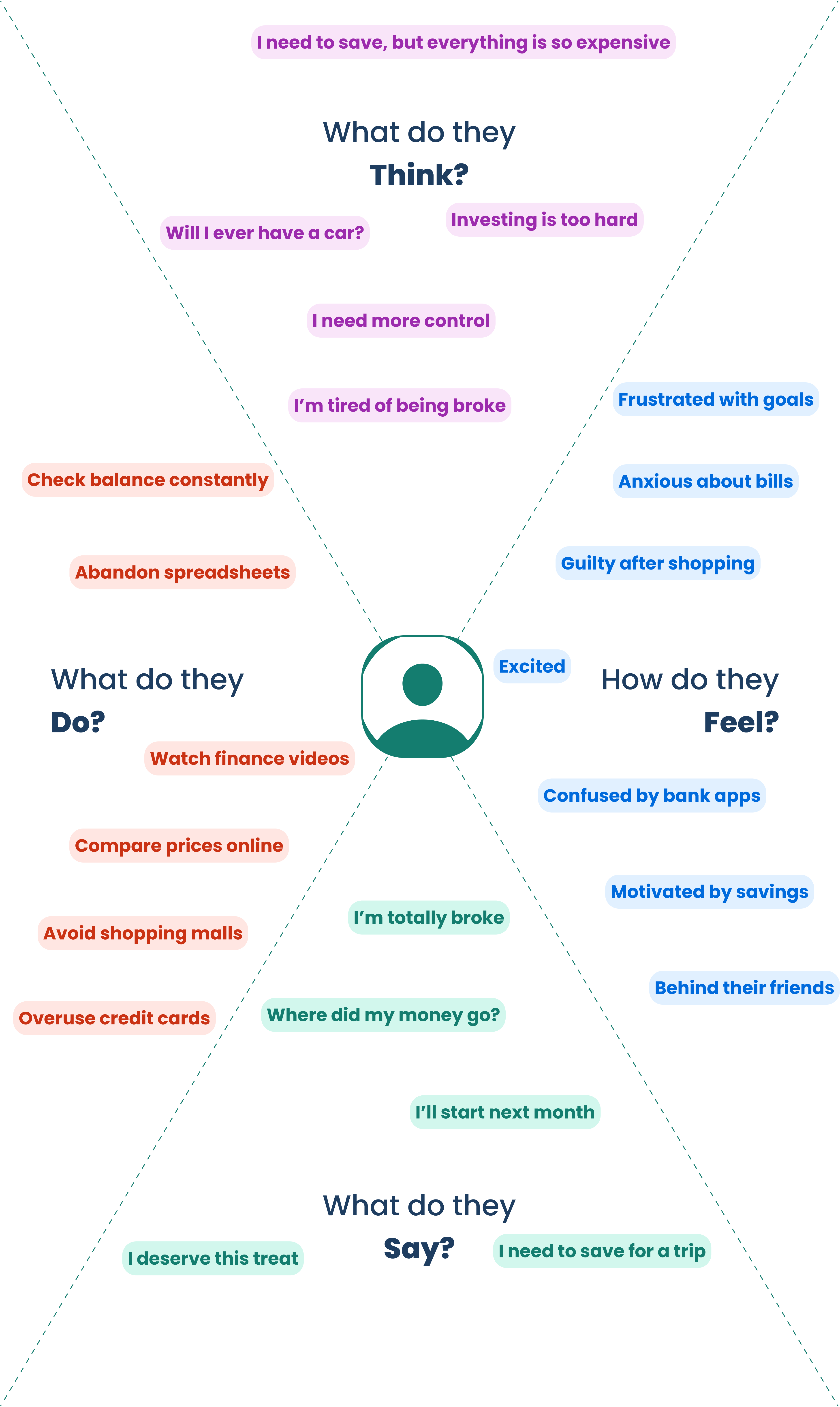
This map helped identify that the main barrier for users struggling to save isn't just low income, but the emotional anxiety and lack of clarity in existing banking apps.
Main user flow
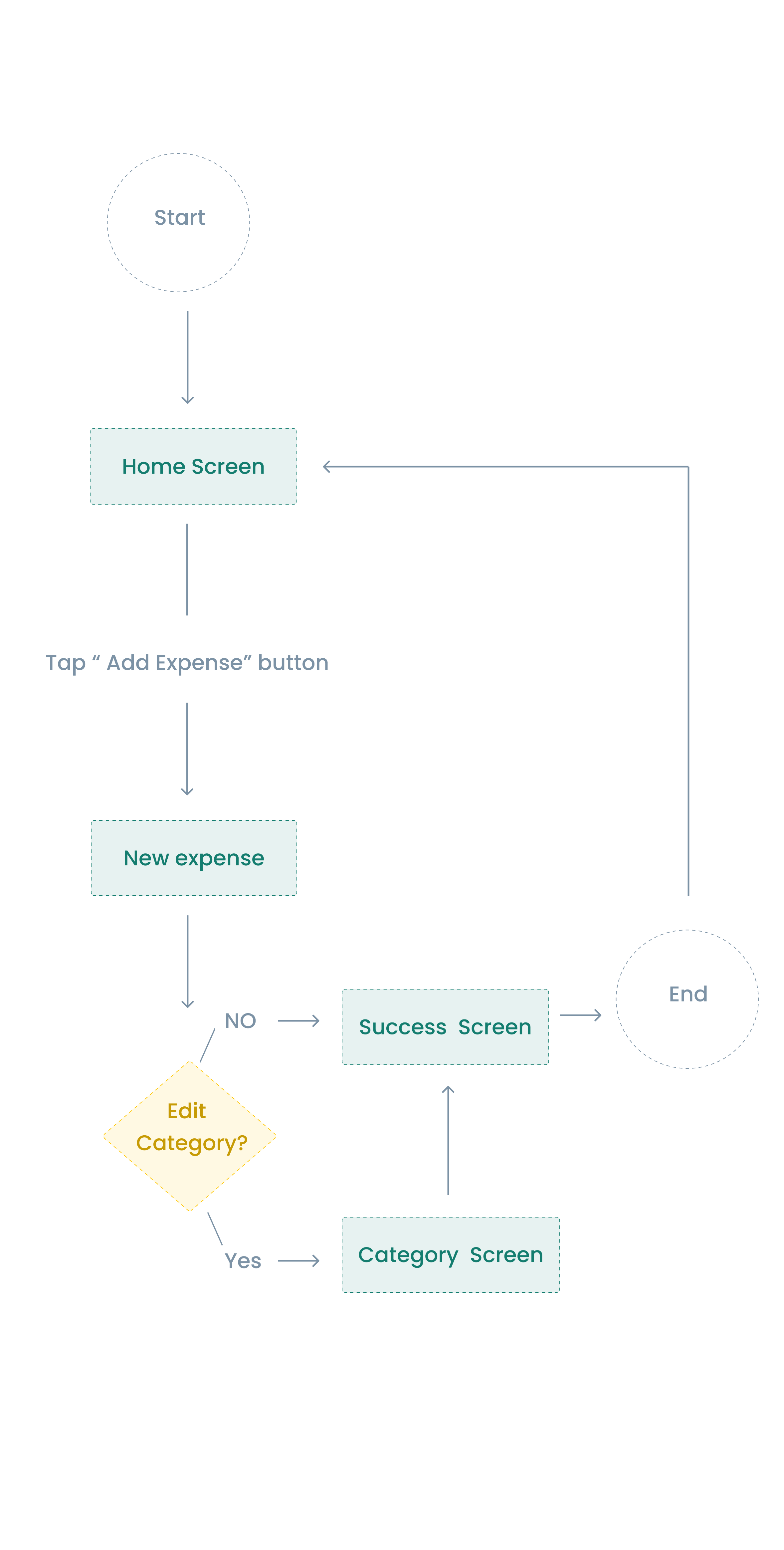
I designed a flow that prioritizes speed. Users can log an expense in seconds or opt for a detailed path to manage categories and budgets, ensuring flexibility without sacrificing simplicity

"Before MyMoney, I always felt anxious about where my salary went. Now, for the first time, I have total clarity. Seeing my expenses organized so intuitively didn't just change my bank account—it changed my peace of mind."
Sarah J.
Marketing Manager
Components
Colors & Typography
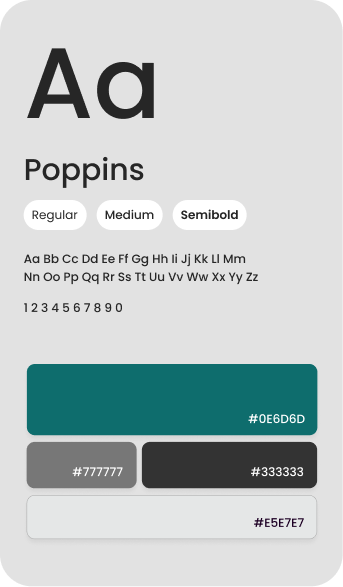
- The color palette was designed with Green as the primary color, as it is traditionally associated with finance, growth and stability, providing a sense of security and confidence in financial management. And Gray was used as the secondary color, which provides a neutral and elegant background, highlighting important information without visually overloading the interface.
- The chosen font was Poppins, which has a contemporary and minimalist style offering a modern and professional appearance.
wireframes
- Ideation and Quick Sketches
- Initial Navigation Flow
- Information Architecture
- Concept Validation
- Journey Mapping
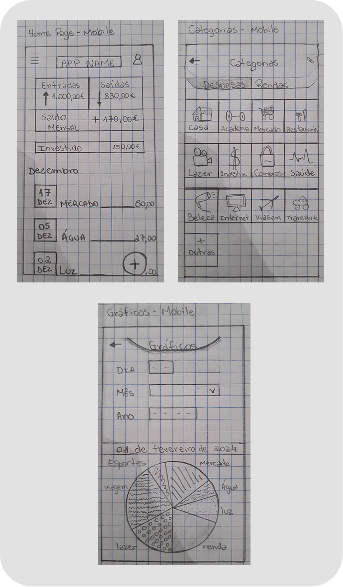
I started the project with hand-drawn sketches to quickly test ideas. I focused on organizing the structure and navigation in an intuitive way, ensuring that the foundation of the layout was functional from the very first draft.
low-fidelity prototype
- Digital structure in shades of gray
- Definition of visual hierarchy
- Total focus on usability
- Technical grids and alignments
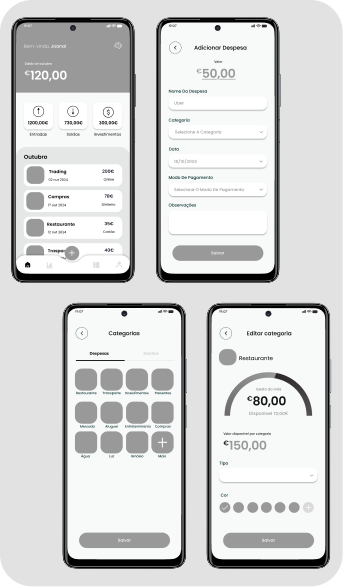
I transformed my drafts into a functional digital structure to validate the navigation flow. Without visual distractions, I ensured that the information hierarchy and project architecture worked perfectly.
USABILITY TESTS
- Interviews with real users
- Identification of flow problems
- Heat map analysis
- User interface (UI) refinement
- Accessibility validation (WCAG)
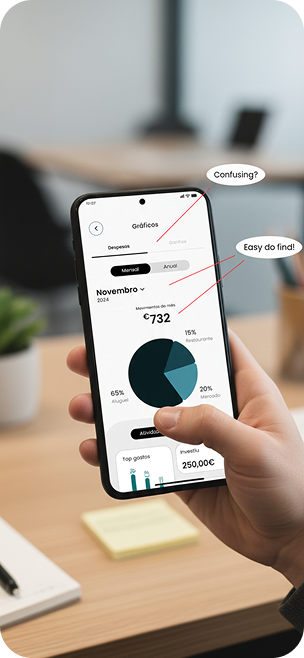
I tested the prototype with real users and identified points of friction. Based on the feedback,
I refined the flow and interface to ensure simpler and more intuitive navigation.
Intuitive Dashboard
A centralized view of financial data for a quick glance at total assets, available balance, and upcoming bills, effectively reducing the user's cognitive load.

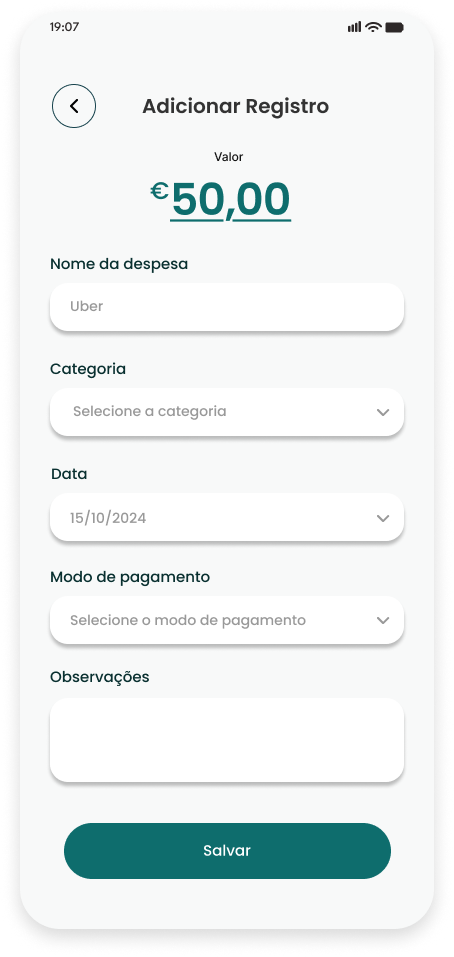
Cash Flow
Add categorized income and expenses with easily identifiable icons, allowing users to understand their spending patterns in seconds.
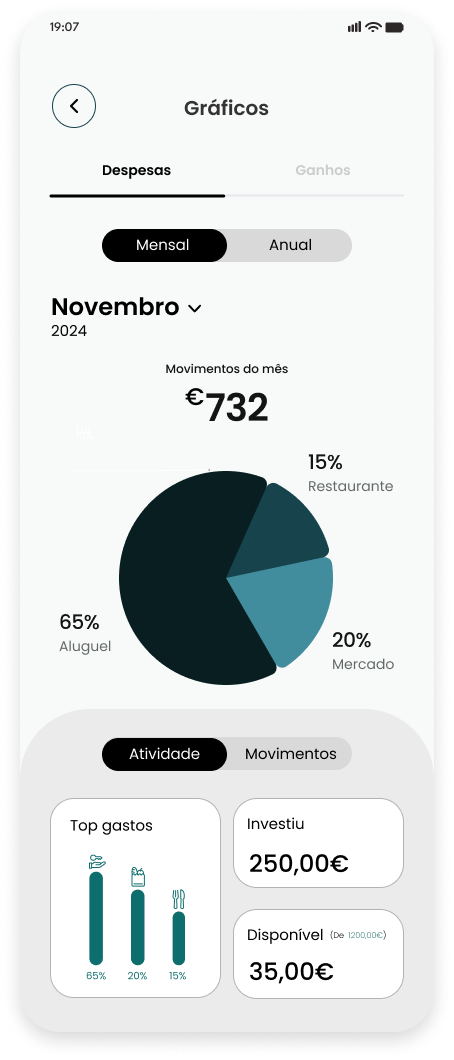
Goals
An interface focused on gamification and visual progress, where users define financial objectives and track their contribution evolution in real-time.
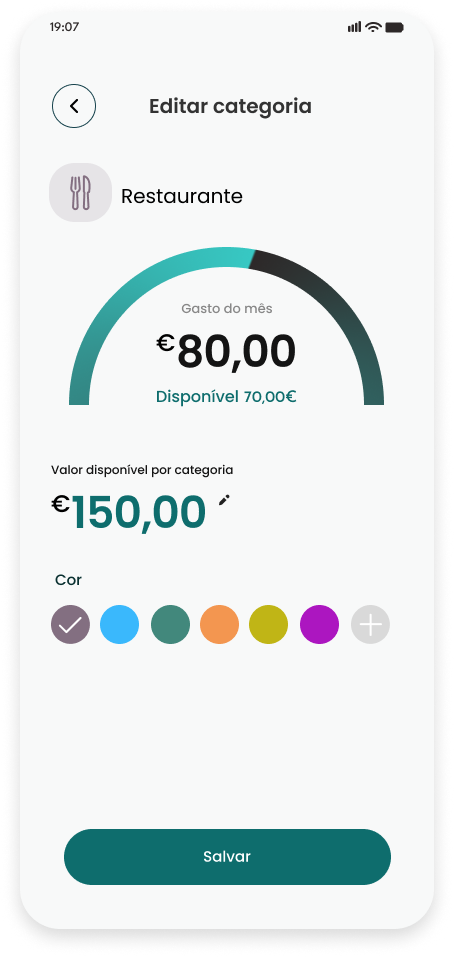
Smart Limits
A system of alerts and progress bars by category (e.g., leisure, food) to prevent overspending and ensure the monthly financial plan is met.
Experience Financial Clarity
We believe managing money should bring peace, not stress. MyMoney provides the tools, insights, and beautiful design needed to understand your finances at a glance. See your progress, make informed decisions, and enjoy the confidence that comes with complete financial visibility.
%20(1).png)
Before MyMoney, I always felt anxious about where my salary went. Now, for the first time, I have total clarity. Seeing my expenses organized so intuitively didn't just change my bank account—it changed my peace of mind."
— Sarah J.
Marketing Manager
"Before MyMoney, I always felt anxious about where my salary went. Now, for the first time, I have total clarity. Seeing my expenses organized so intuitively didn't just change my bank account—it changed my peace of mind."
Sarah J.
Marketing Manager
Take full control of your money and build the financial freedom you've always wanted.